|
NFS Client : Configure NFS Client (Client OS)
2017/01/18 |
|
Configure NFS Client (Windows Client OS).
This example is based on Windows 10 Pro.
|
|
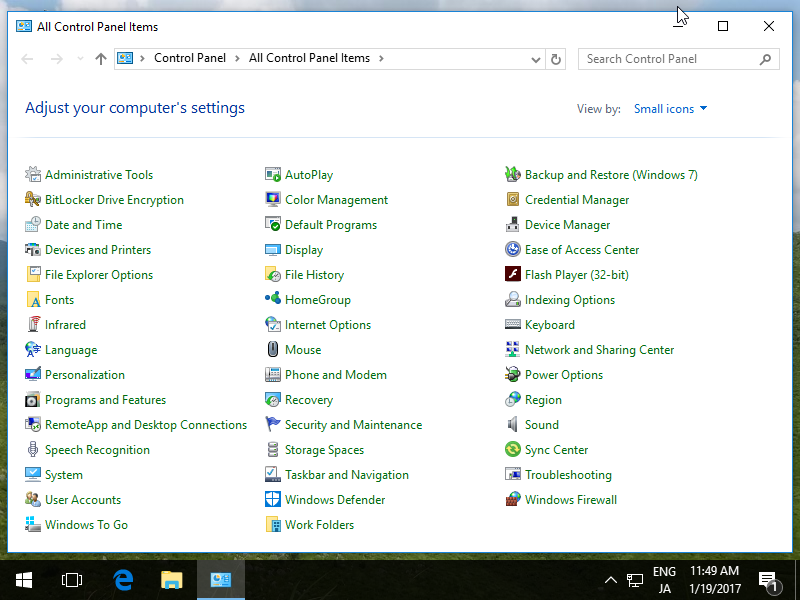
| [1] | Open [Control Panel] - [Programs and Features]. |
|
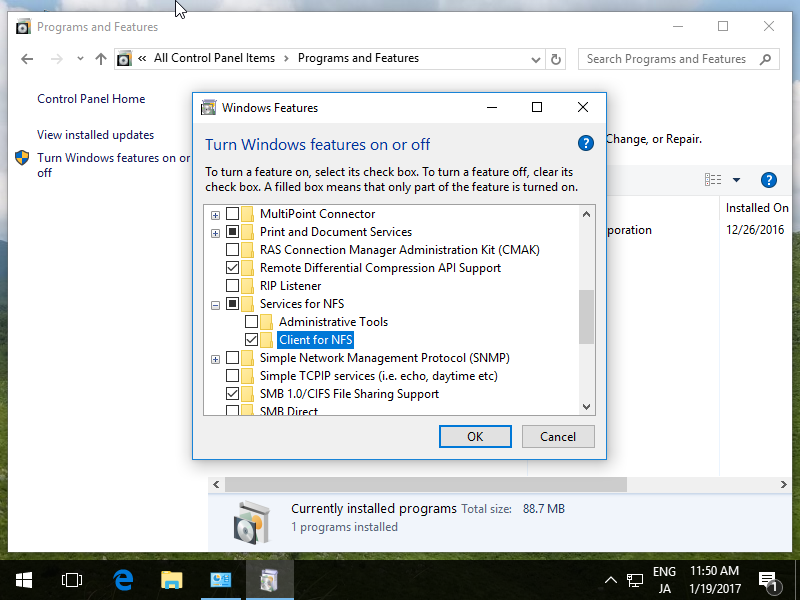
| [2] | Check a box [Client for NFS] and click [OK] button. |
|
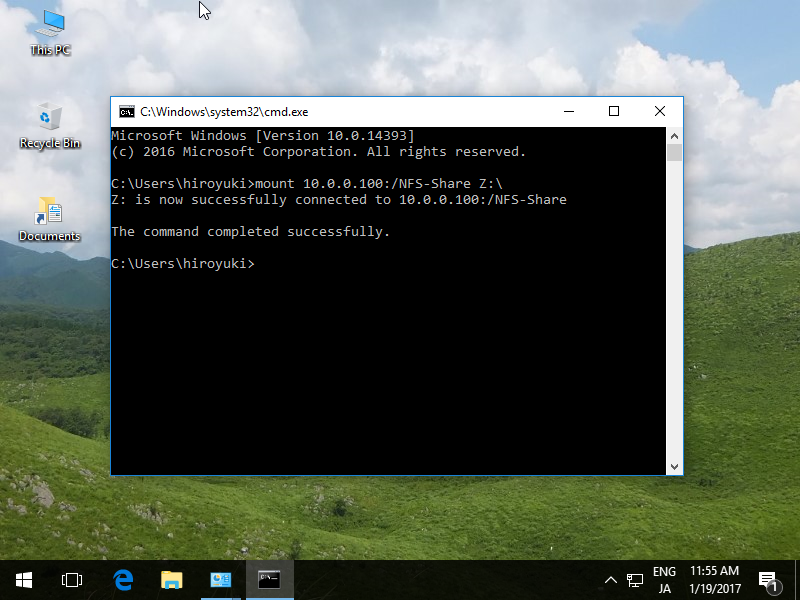
| [3] | Run Command Prompt and input commands like follows. ⇒ mount [NFS server's Hostname or IP address]:/[share name] [Local Drive to mount]:\ |
|
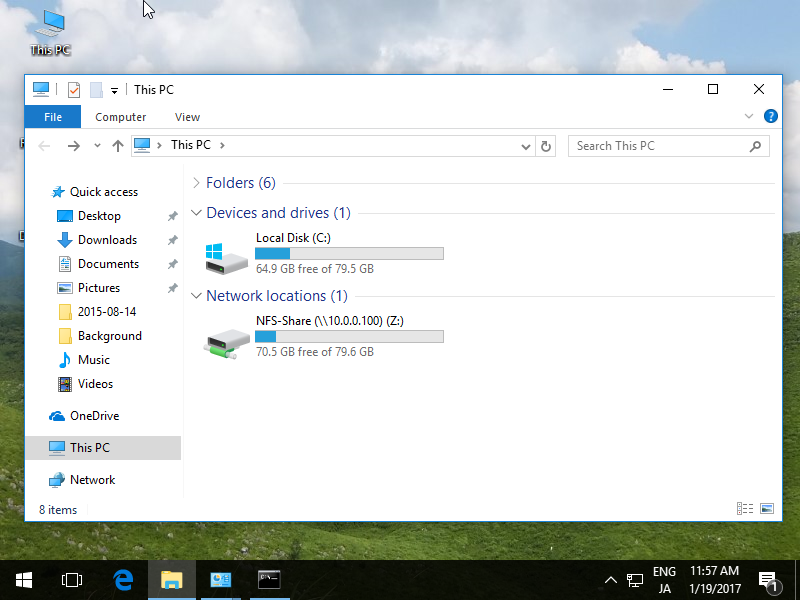
| [4] | Run Explorer, then NFS share folder is displayed. |
|